Automatic song-structure detection for lighting designers.
SmartMarkers analyzes your track and drops colored, downbeat-accurate REAPER regions — Intro, Verse, Bridge, Chorus, Mid-Eight, Outro — each with its own confidence score, plus a curated set of show events: break/restore, drop, staged rises, strobe roll and drumroll. Whatever it hears but can't confidently name lands on the neutral Beat Grid lane — one click from becoming exactly what your show needs. Built for console timecode work — grandMA3, Hog, Avolites, or any desk that can work with CSV sequence data. It turns hours of manual marker-setting into a single action.
Free to try during the public beta · Runs entirely on your own Mac — no upload, no cloud · Requires Apple Silicon (M1 or newer) & macOS 14+
Listening is the creative work. The clicking isn't.
The mechanics keep interrupting your listening pass
Hearing the track, absorbing it, collecting ideas — that's where the show is born. But every idea gets put on hold to scrub for the exact downbeat and nudge a region edge into place.
- Hunting for downbeats frame by frame
- Boundaries that drift a beat off timecode
- The same mechanical pass for every track in the set
- No record of how sure you actually were
Stay in the music — the groundwork is already there
Run one action first. When you sit down to listen, the structure and dozens of event markers are already on the grid — so the listening pass becomes pure idea collection, with far more hooks to hang looks on.
- Structure + curated event lanes waiting before you press play
- Every drop, rise, break and roll it finds is a ready-made lighting moment
- A confidence score shows where to trust and where to listen twice
- Anything it can't name waits on the Beat Grid — one click away
SmartMarkers designs nothing. It sets no mood, no cue, no look — it only marks where things happen in the song. Every marker is a suggestion in the editor: waveform in front of you, every marker movable, preview before anything touches a show. What becomes of those points in time is exactly what it has always been — your craft, your signature.
From raw audio to timecode-ready regions.
A machine-learning detector does the heavy lifting; a beat-aware refinement layer cleans up what pure ML tends to miss. The same run also places the curated show events and fills the Beat Grid.
Segment the song
SongFormer splits the track into sections — intro, verse, chorus, bridge, instrumental, pre-chorus, outro.
Find the beat grid
beat_this extracts frame-accurate beats and downbeats so every boundary can land on the grid, not between it.
Recover short sections
A refinement pass restores short Bridges and Mid-Eights the model's peak-picking suppresses, using its own sub-threshold boundary curve.
Snap & score
Each boundary snaps to the nearest downbeat and carries a real confidence score (0.30–0.97) from the model's logits.
Analysis runs on a backend on your own Mac (Python / FastAPI) — no upload, no cloud, no account. REAPER talks to it over HTTP, so there's no Python inside REAPER. First run downloads the analysis models (~3 GB — plan for ~8 GB of free disk space overall); after that, a song takes roughly 20–35 s on Apple Silicon. All common audio formats work — WAV is still the recommendation, because MP3 decoder drift shows up against SMPTE timecode. If the ML stack isn't available, a librosa fallback pipeline produces the same output schema automatically.
What one analysis leaves in your session.
Real REAPER screenshots — one action per song. Structure regions plus event lanes you can show or hide as needed.
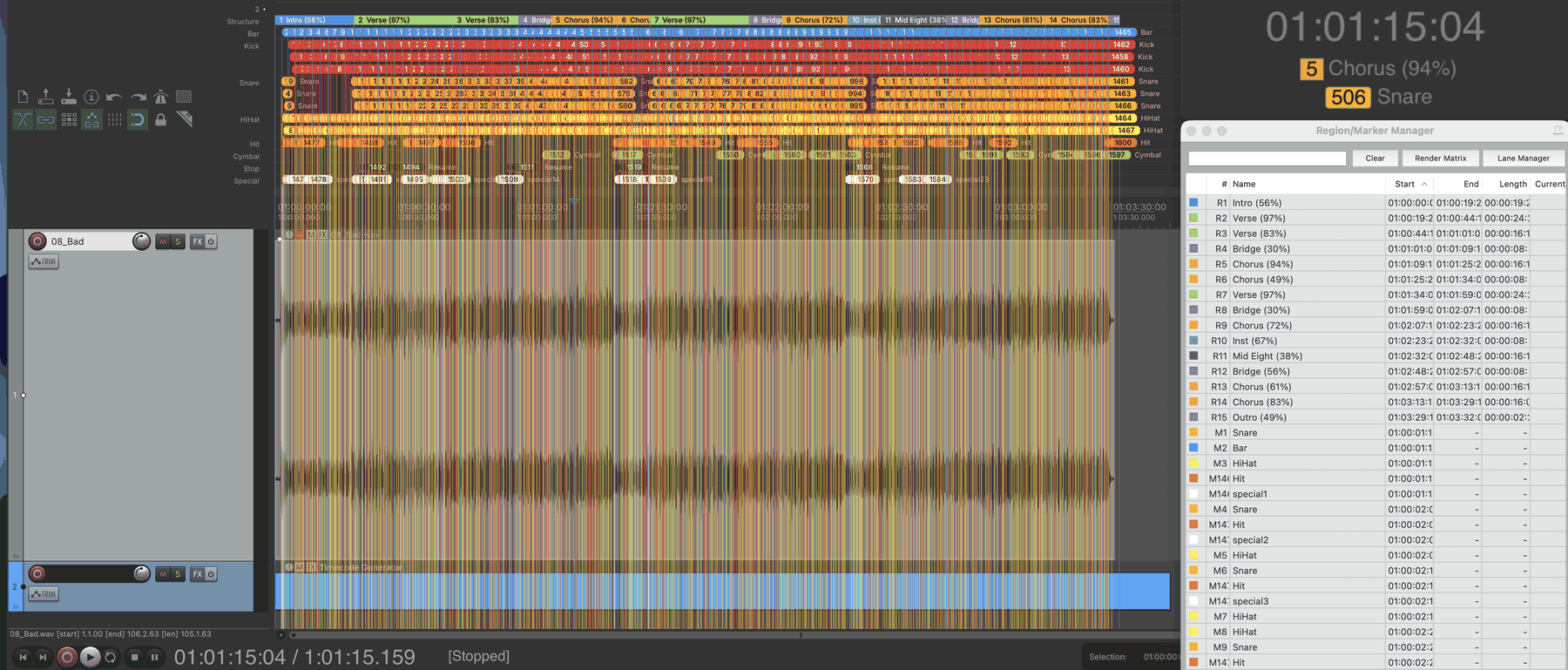
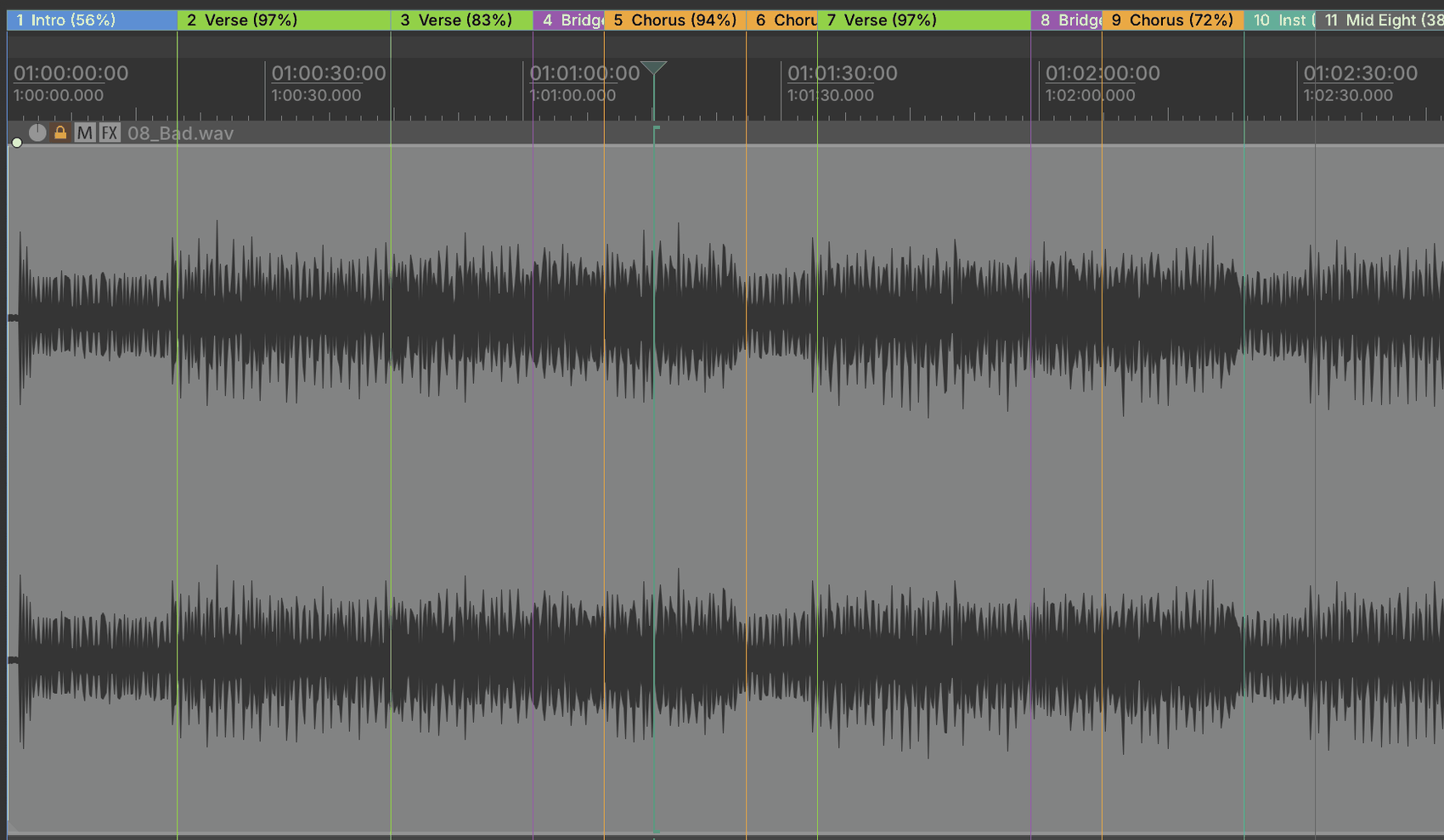
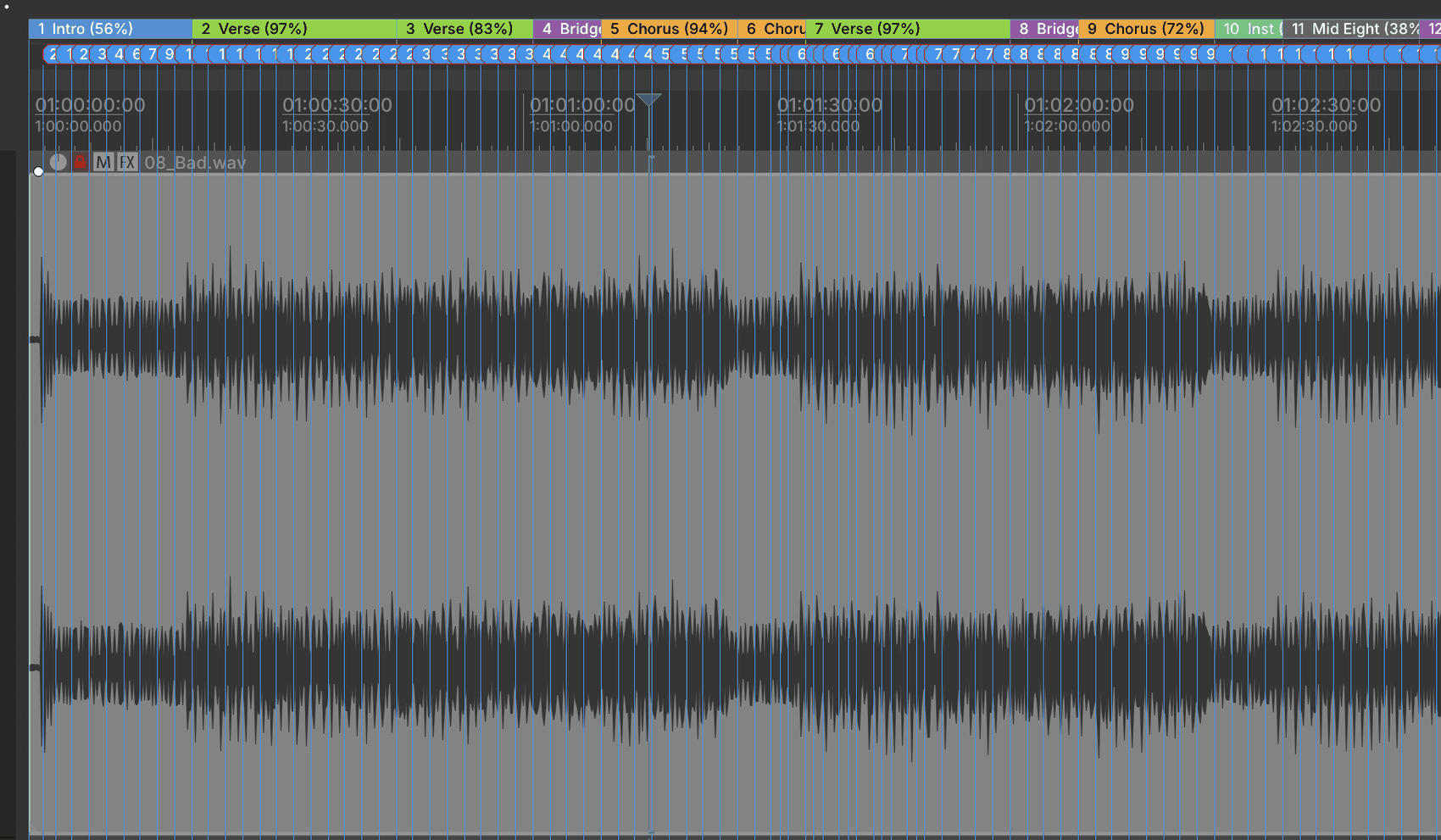
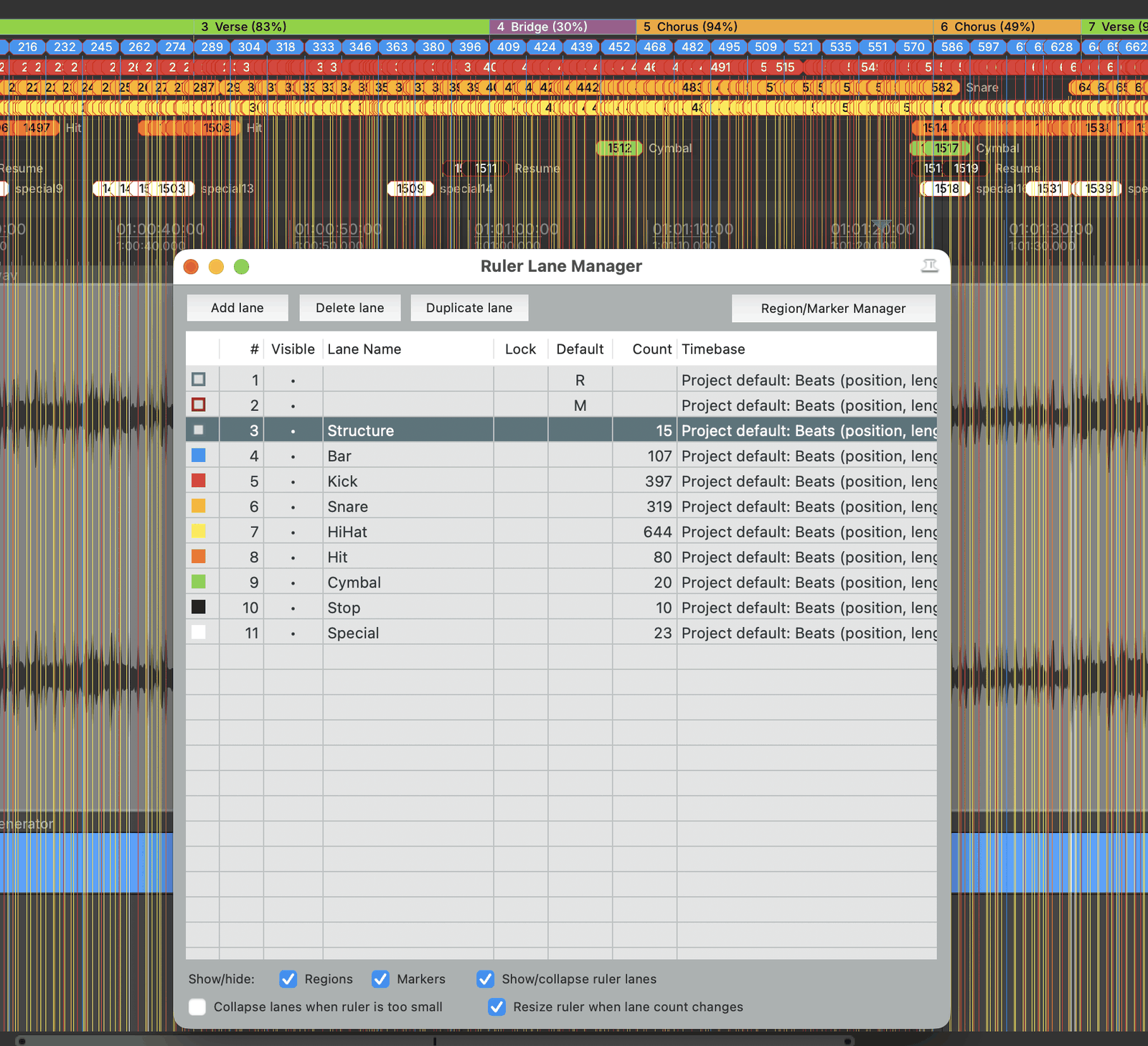
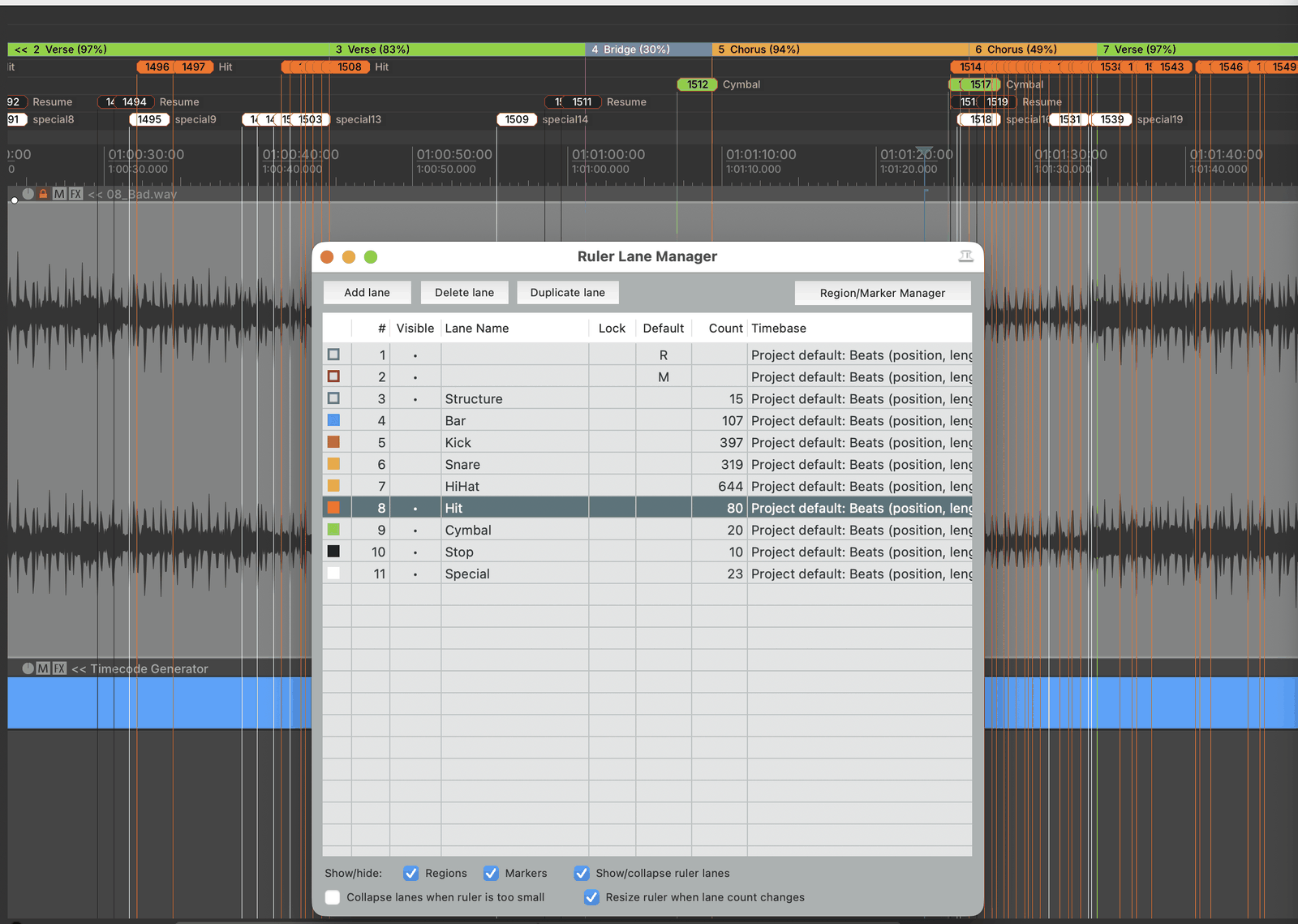
These shots have the raw drum grids (Kick, Snare, HiHat) switched on to show the full picture. They ship switched off: the delivered lane set is deliberately curated — Structure, Bar, Drumroll, Strobe Roll, Rise/Drop, Break/Restore and Beat Grid. Every run starts from an empty project — it clears all markers, all regions and all ruler lanes first (REAPER's own R/M lanes stay) and builds the set fresh, so a second run never piles up on the first. It asks you before it does that, and one Cmd+Z puts everything back the way it was.
What SmartMarkers detects.
Five shots from the current beta build, untouched — from the whole song down to single transients.
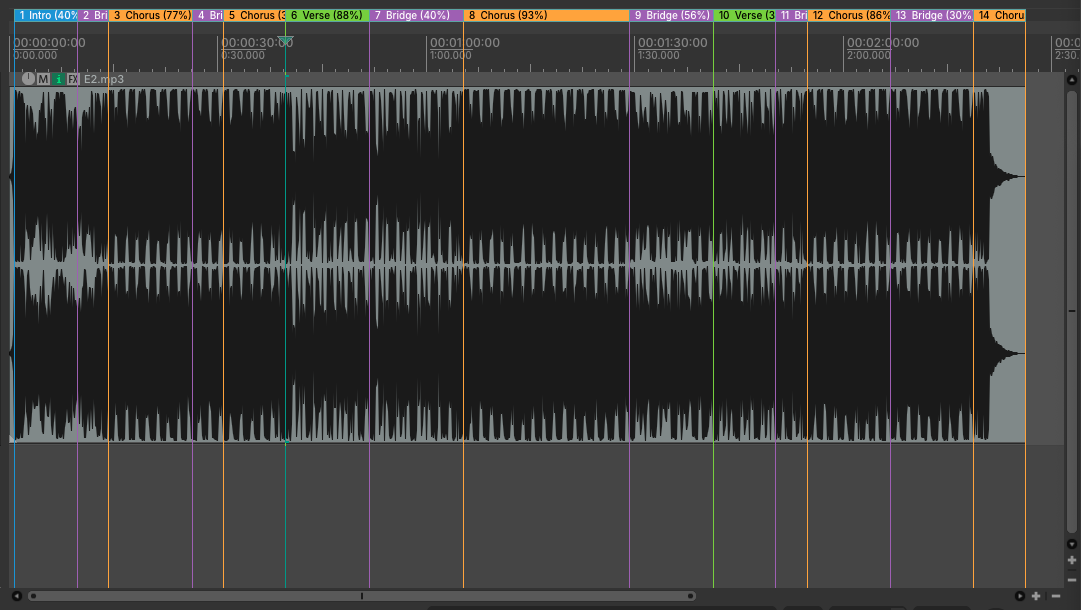
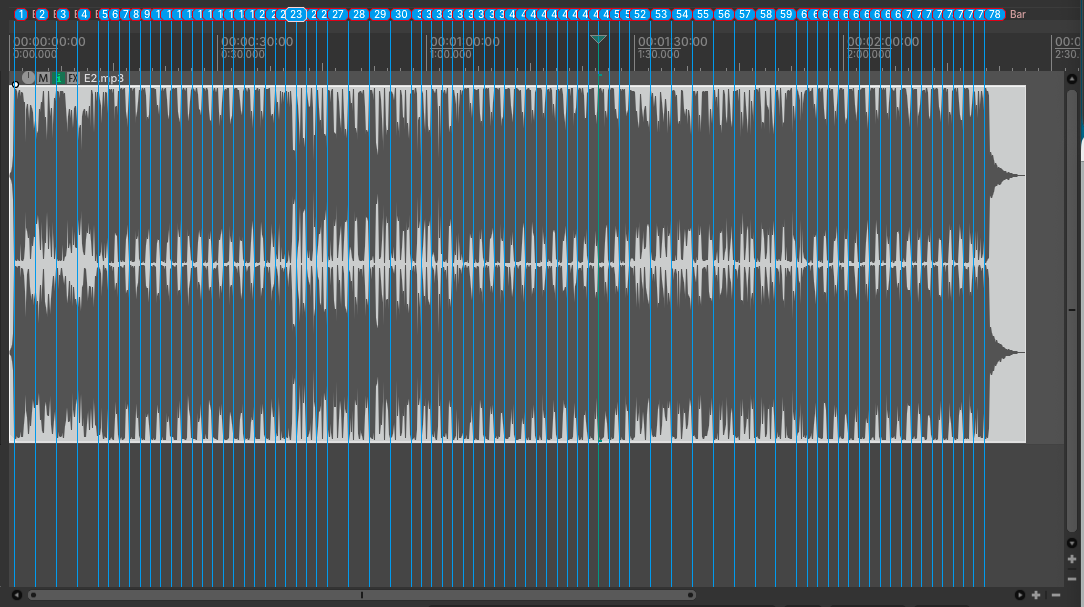
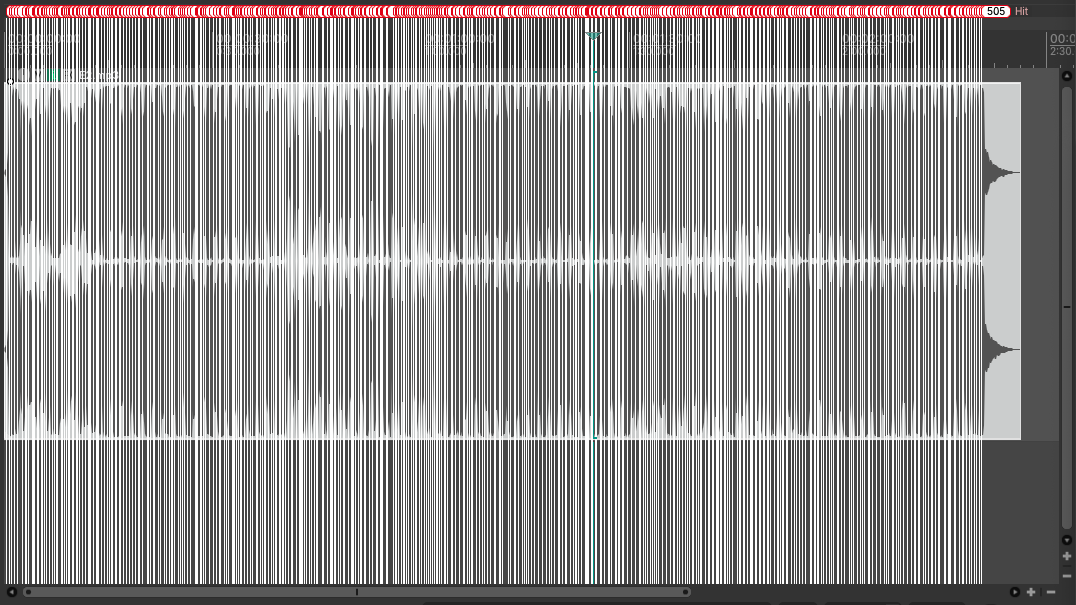
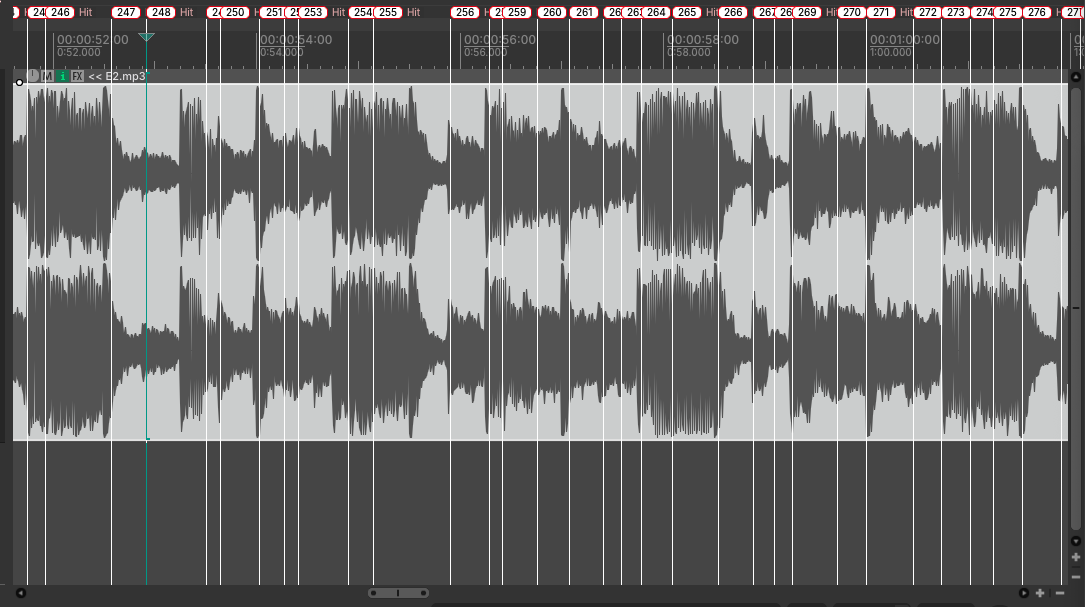
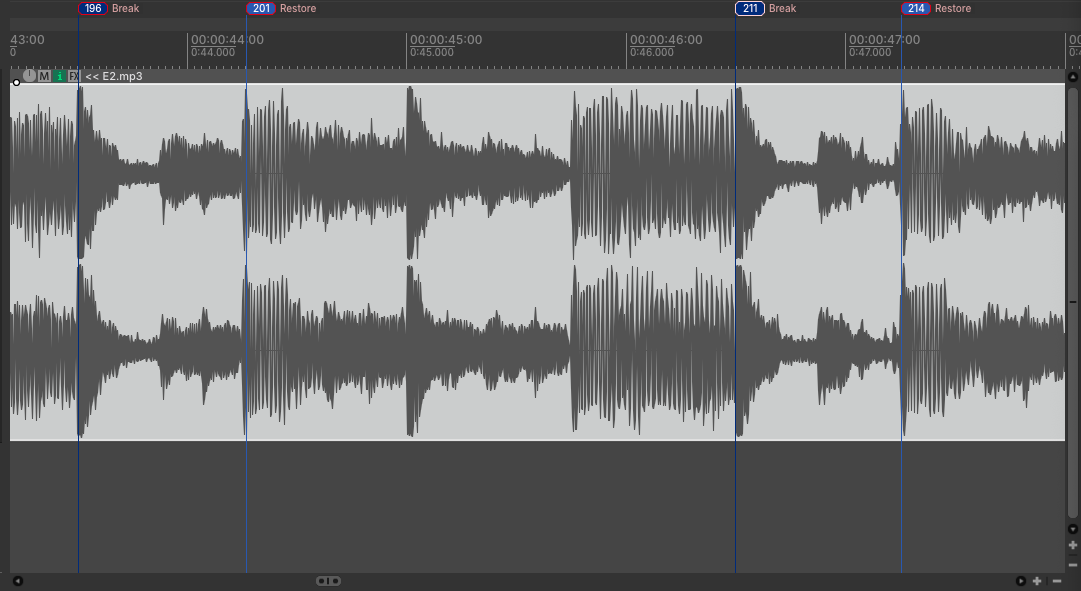
Every shot here is straight out of the beta, untouched. If you find a marker that sits in the wrong place, you're welcome to keep it — put it with the ones you set yourself that were also in the wrong place.
Nothing it hears gets lost.
Next to the structure regions, one run now sets a curated set of show events — break and restore pairs, drop, staged rises, strobe roll, drumroll — all named and colored, ready as your cue reference. And everything the analysis picks up but can't confidently name gets a home too.
The Beat Grid
Anything the analysis hears rhythmically but can't confidently assign to one of the curated layers doesn't disappear — it lands on a lane called Beat Grid: a full grid of uniform white markers, all named "Hit", with a type guess added in parentheses where the tool has one — "Hit (Clap)", "Hit (Bassdrum)" and so on. The parentheses mean a guess, not a guarantee — nothing is invented, and every marker still stays white on the same lane. The raw drum grids (Kick, Snare, HiHat) are still in there and still ship switched off. This is where feedback helps most: every marker you re-file by hand tells us what it should have been called.
Promote a marker in seconds
Missing a drop, a break, a cue point of your own? You don't rebuild it by hand.
Smart Lane (SmartMarkers_SmartLane.lua) opens a small window that stays open while you
work: click the marker in the arrangement, then click a target layer in the window —
name, color and lane change in a single step, and a single Cmd+Z takes it
back. A free custom label and a keep original switch sit in the same window.
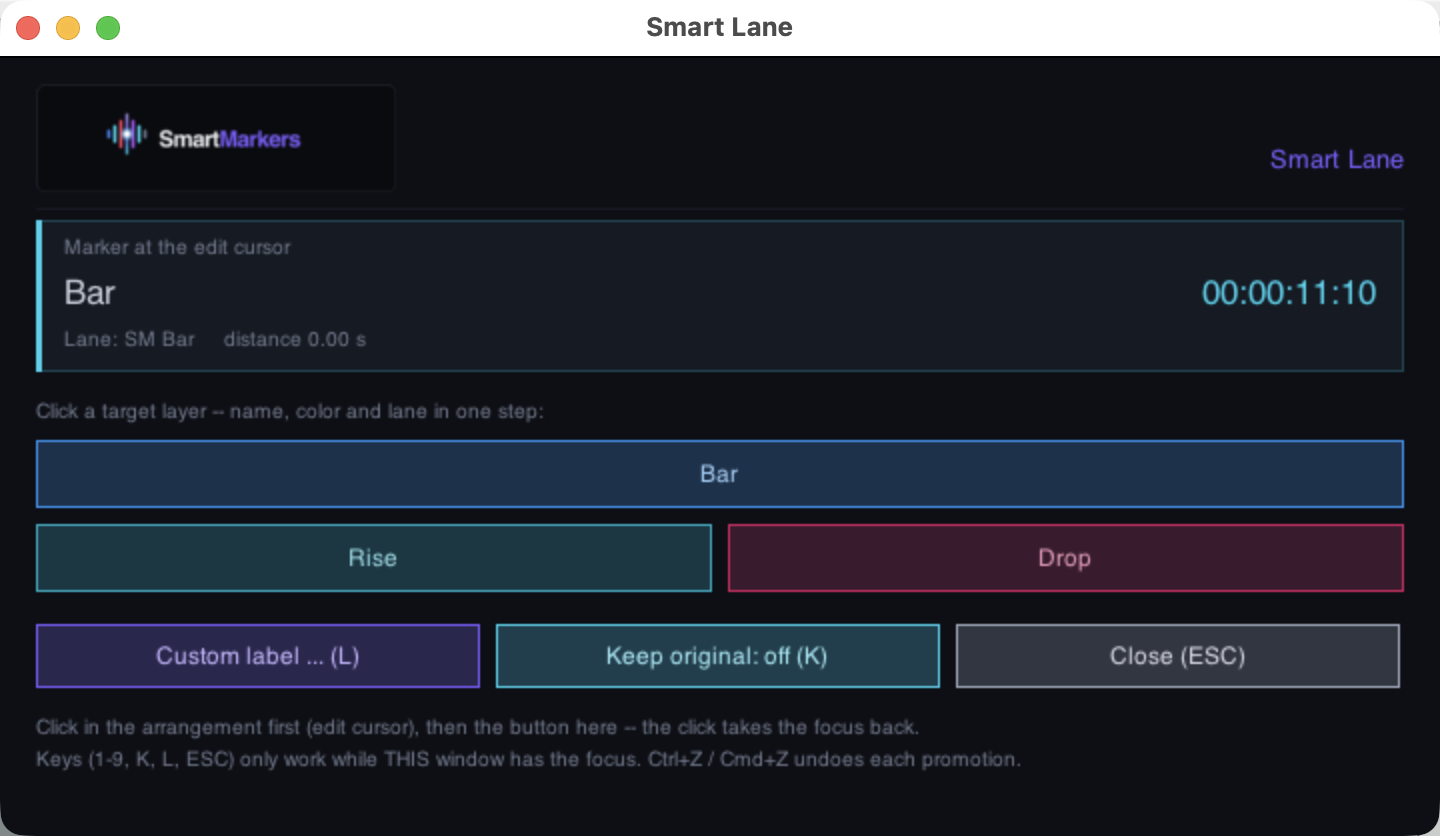
The marker at the edit cursor sits on top, the target layers below — and only the layers that actually exist as a lane in your project are offered, in the same order as your lane manager.
Your corrected project is the feedback
The easiest way to help: run the analysis, then correct what your ears disagree with — drop a red marker at the spot and write your note into it, or simply move/delete what's wrong. Send the REAPER project plus the audio file (or a link to it) to beta@smartmarkers.tools.
For everything else — bugs, usability, ideas — the package includes a small offline
feedback form (docs/SmartMarkers_Feedback_EN.html): fill it in, copy
the text, e-mail it. Every single report feeds straight into the next round of
detection work.
What's solid today — and what's still being built.
SmartMarkers is in active development. Here's the honest split so you know exactly what to expect before you rely on it in a show.
Structure detection you can build on
- Section boundaries for Intro / Verse / Chorus / Bridge / Mid-Eight / Outro, detected by SongFormer.
- Downbeat-accurate snapping so regions line up with the musical grid and your timecode.
- Per-marker confidence scores — you see where the model is sure and where to double-check.
- Short-section recovery for Bridges-before-Chorus and Mid-Eights the raw model hides.
- The Beat Grid — it claims nothing it doesn't know, which is exactly why you can lean on it as a complete reference grid to promote from.
- REAPER-native output as colored regions, ready as the cue reference for your console (SMPTE/LTC or Art-Net).
Coming soon · in active development
- The curated event layers — break/restore, drop, staged rises, strobe roll and drumroll are built in, but treat them as a hint, not as something to rely on.
- Broader genre coverage — quality differs noticeably between live-band and electronic material; validation is ongoing across more styles and tempos.
- Signed installer — the one-double-click install already ships; code-signing to skip the Gatekeeper right-click is next.
Treat SmartMarkers as a strong first pass, not a hands-off autopilot. Structure regions are reliable enough to save hours; the curated event layers are still evolving, so give the low-confidence markers a quick review before the timecode goes live — and if something falls over on your material, a corrected project or the feedback form is exactly how to tell us.
Runs on your own machine.
Three steps, no terminal. The installer sets up everything; the backend then starts itself from REAPER. No cloud, no account.
Requires: Mac with Apple Silicon (M1 or newer), macOS 14+, REAPER (7.62+ recommended), ~8 GB free disk space for the analysis models.
-
Request the download link
Enter your email and the link for the latest build lands in your inbox. Grab it, then unzip the download.
-
Double-click
Install-SmartMarkers.commandIt finds or installs Python 3.11 and sets everything up for you. First launch is unsigned, so right-click the file and choose Open to get past Gatekeeper. (A manual
Start-SmartMarkers.commandis included too.) -
Load
reaper/SmartMarkers.luain REAPERAdd the script as an action, select an audio item, and run it. It asks once whether it may clear the project — every analysis starts from an empty timeline, and one Cmd+Z takes it back. The backend starts automatically on that first run — no terminal to keep open. The Smart Lane tool,
SmartMarkers_SmartLane.lua, sits in the same folder and is registered the same way.